Scene Manager for DAZ Studio 4.x preview image 0Scene Manager for DAZ Studio 4.x preview image 1Scene Manager for DAZ Studio 4.x preview image 2Scene Manager for DAZ Studio 4.x preview image 3Scene Manager for DAZ Studio 4.x preview image 4
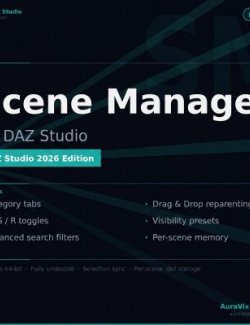
Scene Manager – The professional outliner DAZ Studio always needed
Take full control of complex, crowded scenes. Find, organize, toggle visibility and render anything – fast.
Why you'll love it
- Stop scrolling, start finding – Powerful filters:
type:light,poly > 100000,is:hidden,tag:hero,note:fixand more. - One look, total control – Per-node toggles for Viewport (V), Selectability (S) and Render visibility (R). Bulk actions included.
- Your scene, your way – Create custom group tabs, drag & drop reparenting and reordering, color-code nodes, add searchable tags and notes.
- It remembers everything – All your colors, tags, notes, groups, order and visibility presets are saved inside the .duf file.
- Works like the native Scene pane – Familiar workflow with F2 rename, selection sync and full undo support.
Key Features
- Smart category tabs (Characters, Lighting, Cameras, Props, Render Settings, Other)
- Custom groups with drag & drop support across tabs
- Advanced combinable search filters
- Visibility presets (save & switch with one click)
- Inline rename, keyboard shortcuts, bulk actions
- Fully theme-aware UI with custom pane icon
- Everything saved per-scene inside the .duf file
Perfect for artists working with large multi-character scenes, complex environments, lighting setups and anyone tired of fighting the default Scene pane.
System requirements: DAZ Studio 4.x (64-bit), Windows 10/11
Software: Daz Studio 4, DAZ Studio 4 With IRAY
Renderosity
Where to buy:
https://www.renderosity.com/marketplace/products/172076/scene-manager-for-daz-studio-4x