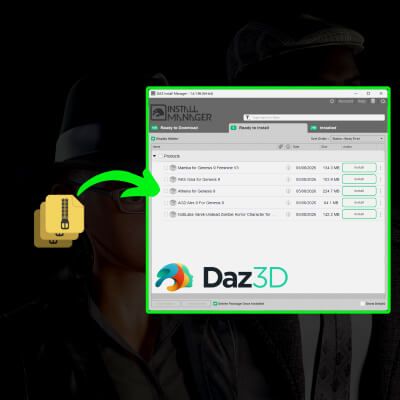
All your RenderHub Daz content now compatible with Daz Install Manager.
Ever bought a Daz Studio product outside the official store and had to manually dig through folders instead of just using Install Manager? DazPackager fixes that.
Drop your .zip (or an already-extracted folder) onto DazPackager, and it generates the Manifest.dsx and Supplement.dsx files Daz Install Manager needs — no manual editing, no guesswork.
Useful whether you're buying or releasing content:
Customers: turn any purchase into a clean, DIM-installable package in seconds
Content creators: package your releases so your buyers get the smooth Install Manager experience, without you changing how you build your products
What it does:
Scans your content automatically and detects its structure (works even without a Content/ folder)
Generates a properly formatted package, ready to drop into DIM's watched folder
Batch mode: process a whole folder of products in one go
Drag & drop support — just drop your files onto the app
Free, open source, no installation required (single portable .exe)
How to use it:
Download the latest release from GitHub
Drag your .zip file (or extracted folder) onto DazPackager.exe
Drop the generated package into your Install Manager download folder — done
Command-line usage:
DazPackager - generates a Manifest.dsx and Supplement.dsx to make a zip installable via Daz Install Manager
Single item:
DazPackager.exe [product_name] [--yes]
Path to a source .zip file OR an already-extracted product folder
[product_name] Optional. If omitted, a name is suggested from the source name.
--yes / -y Optional. Automatically overwrites existing .dsx files without asking.
Batch mode (process every .zip and subfolder found directly inside a folder):
DazPackager.exe --batch [--yes]
Product names are always auto-suggested in batch mode (no manual naming per item).
Tip (Windows): dragging one or more .zip files / folders directly onto DazPackager.exe works too.
Free and open source under the MIT license. Get it on my GitHub.
DazPackager doesn't bypass any DRM or licensing — it just packages content you already own (or that you're releasing yourself) so DIM can install it properly. Only use it with content you have the legal right to package.